TudGratix

Windows 10 & 11 · x64 · Android

Your PC.
In plain sight.
Totally free.

Temperatures, FPS, in-game overlay, clips, fans, RGB, cleanup, animated themes, your PC on your phone and parental control. One app, no subscriptions, no ads, no account.

Latest public release on GitHub · Windows 10/11 x64

Free forever. If you want, you can help

The idea

The detail of paid tools.
For $0. Forever.

Seeing your PC in depth usually takes half a dozen programs, half of them paid or on a subscription. TudGratix puts it all in one good-looking, lightweight app, and it will always be 100% free.

0animated themes
…downloads on GitHub
$0no subscription
0ads and accounts

What you save

One app instead of eight. In your wallet and on your PC.

Money

~$220in year one · ~$130/year after

  • Sensors and stress tests~$60
  • GPU benchmark~$30
  • Cleanup and optimisation~$45/yr
  • Deep uninstaller~$25/yr
  • Parental control~$60/yr
  • Overlay, recording, fans and RGBfree, but 4 more apps
  • TudGratix$0

Estimate based on typical list prices of paid apps of these kinds (November 2026), without discounts.

Where do these numbers come from?

List prices on the official sites, checked in November 2026, without discounts and rounded. Examples of paid apps of each kind:

Many have a more limited free version. The total is for someone wanting the same level of detail TudGratix gives.
PC resources

RAMwith everything on

TudGratix ~0.8 GB*
6 to 8 apps ~2 GB

CPUin the background

TudGratix ~1%
6 to 8 apps 3 to 6%

Programs starting with Windows

1
6 to 8

TudGratix: measured in real use, during testing. * Without Instant Replay: with it on, the recorder keeps the last seconds in memory and RAM goes up, like any recorder. Other apps: an estimate for the same set of features running at once.

Features

Everything your PC does, and then some.

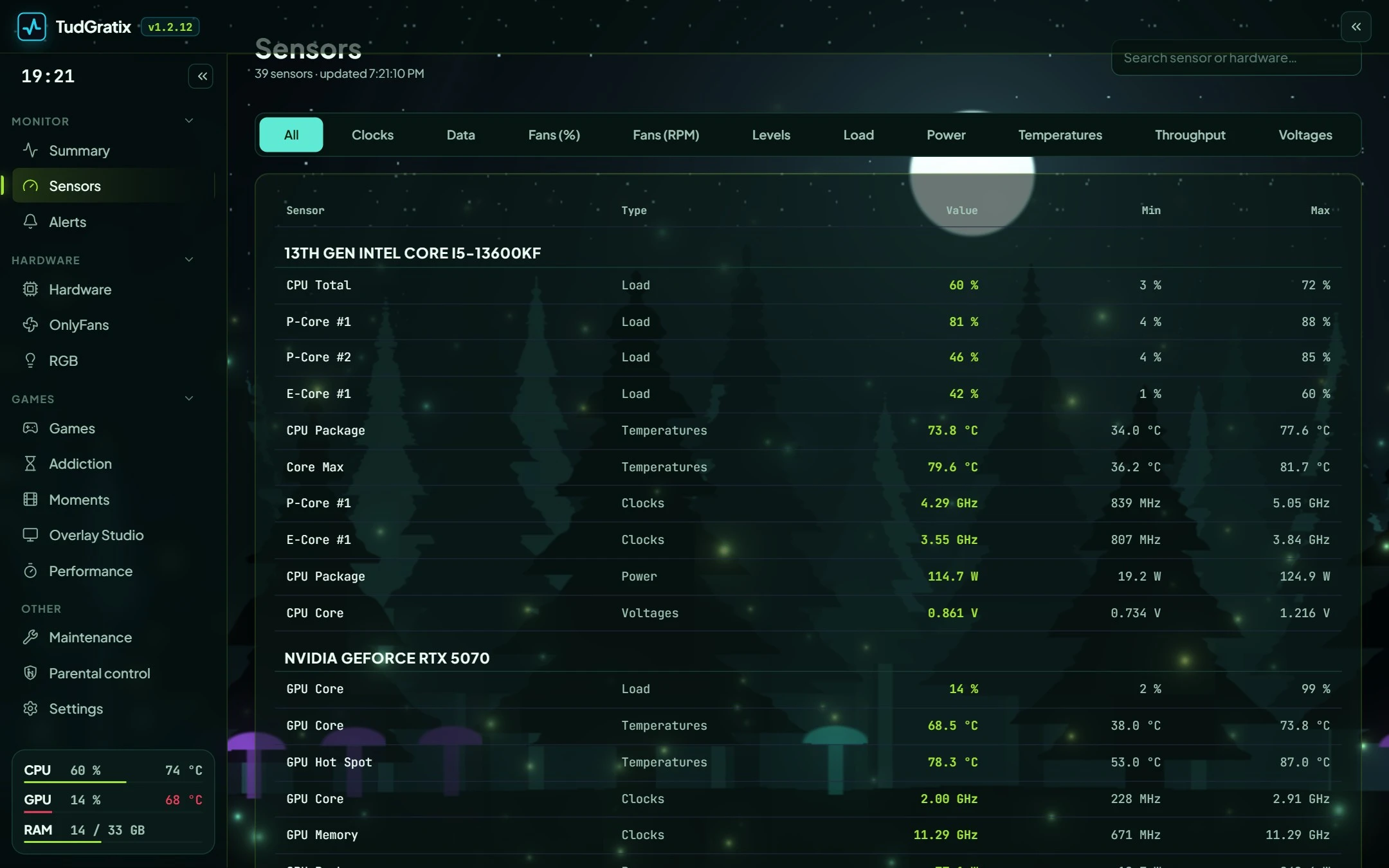
Live sensors

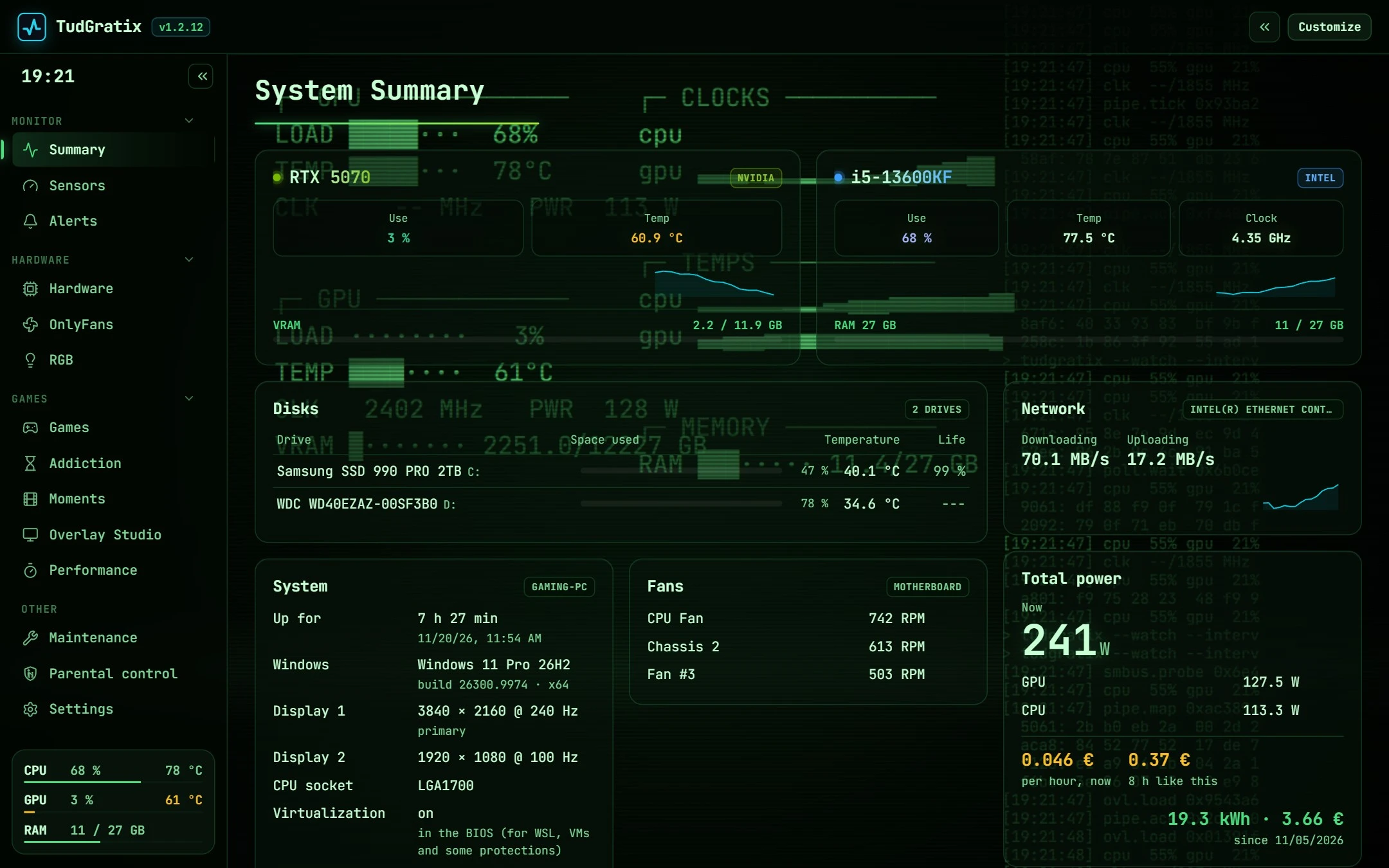
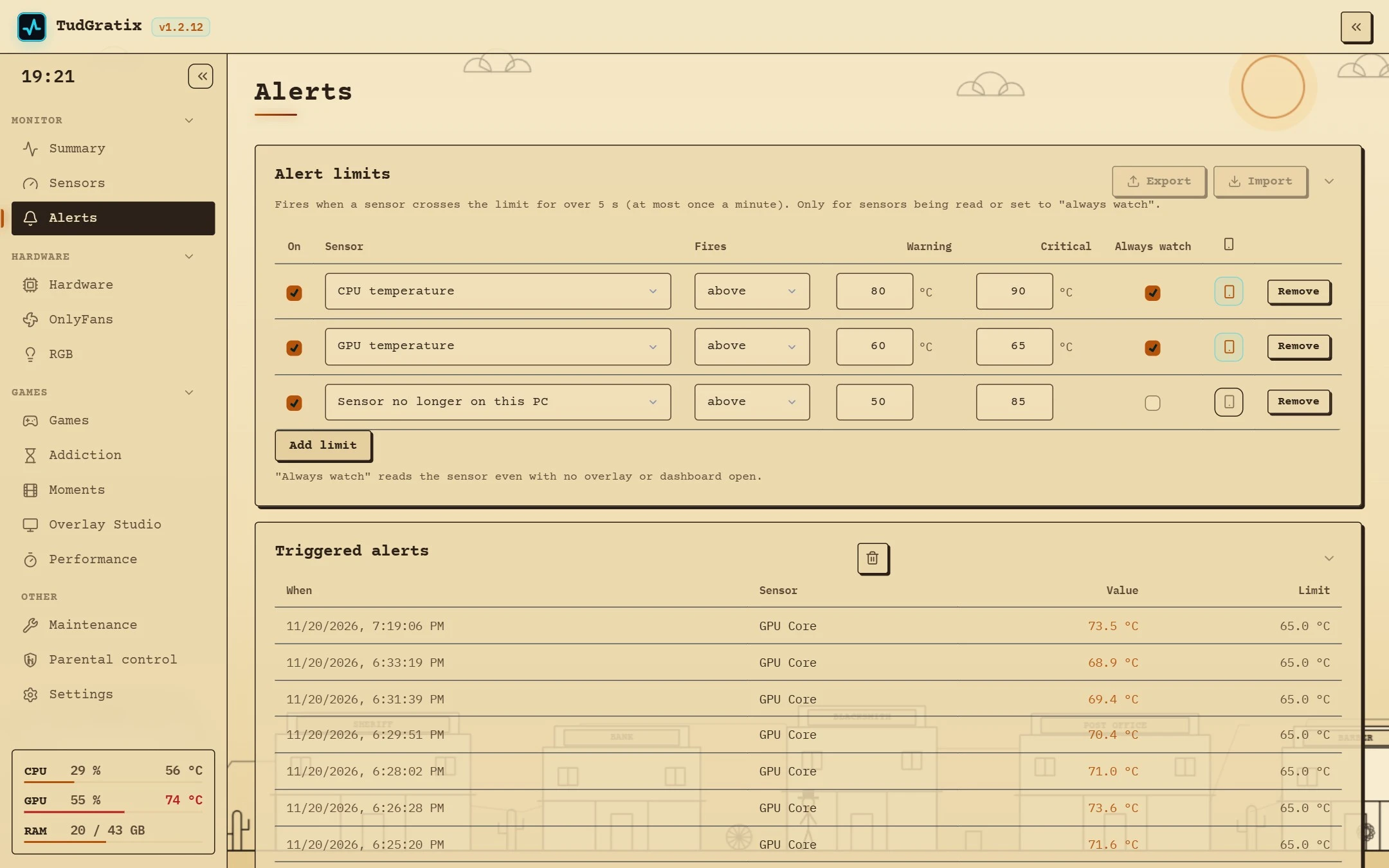
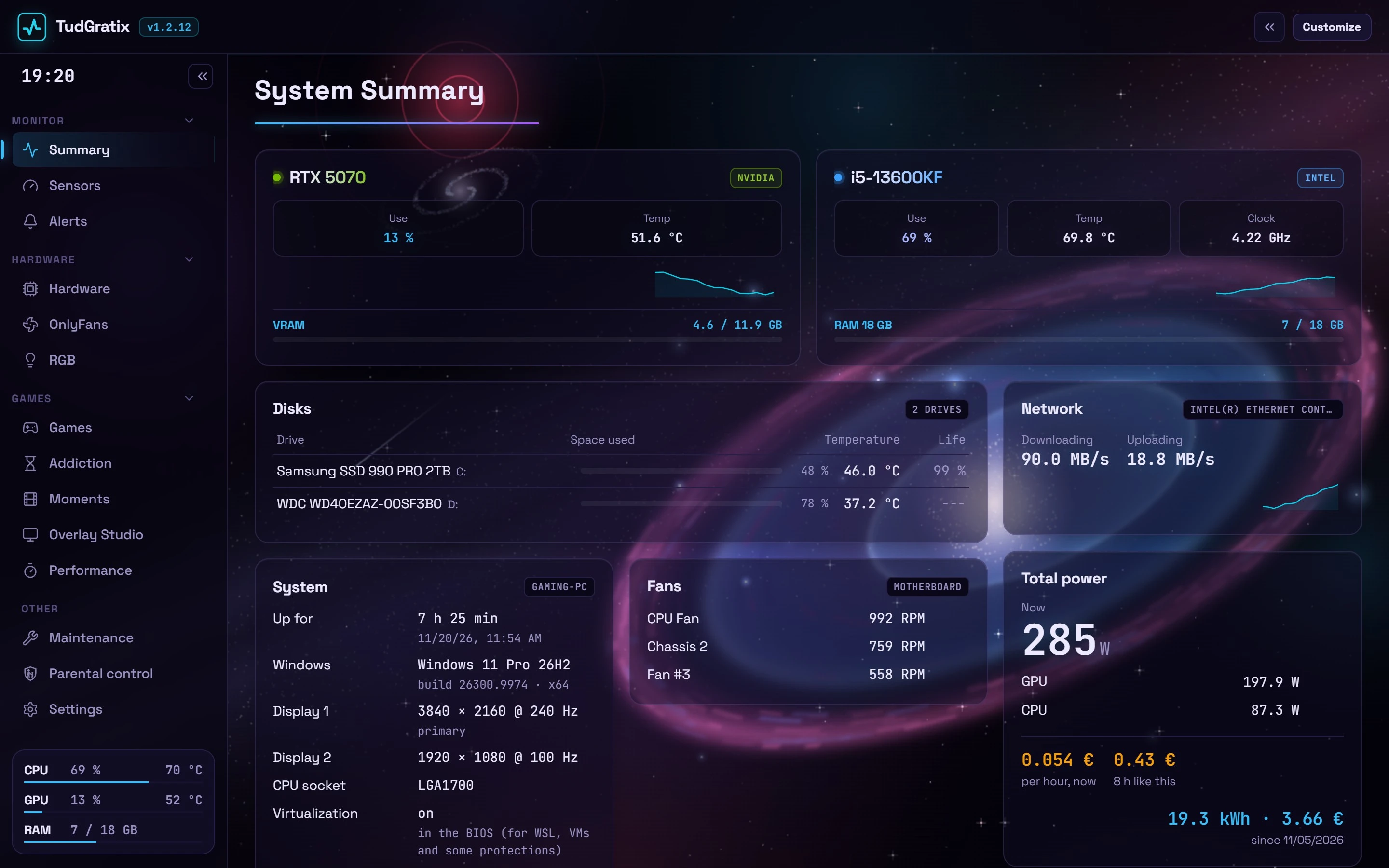
CPU, GPU, RAM, motherboard, drives, network and battery: temperatures, load, clocks, power and fans, with charts from 1 min to 24 h and alerts.

Real FPS

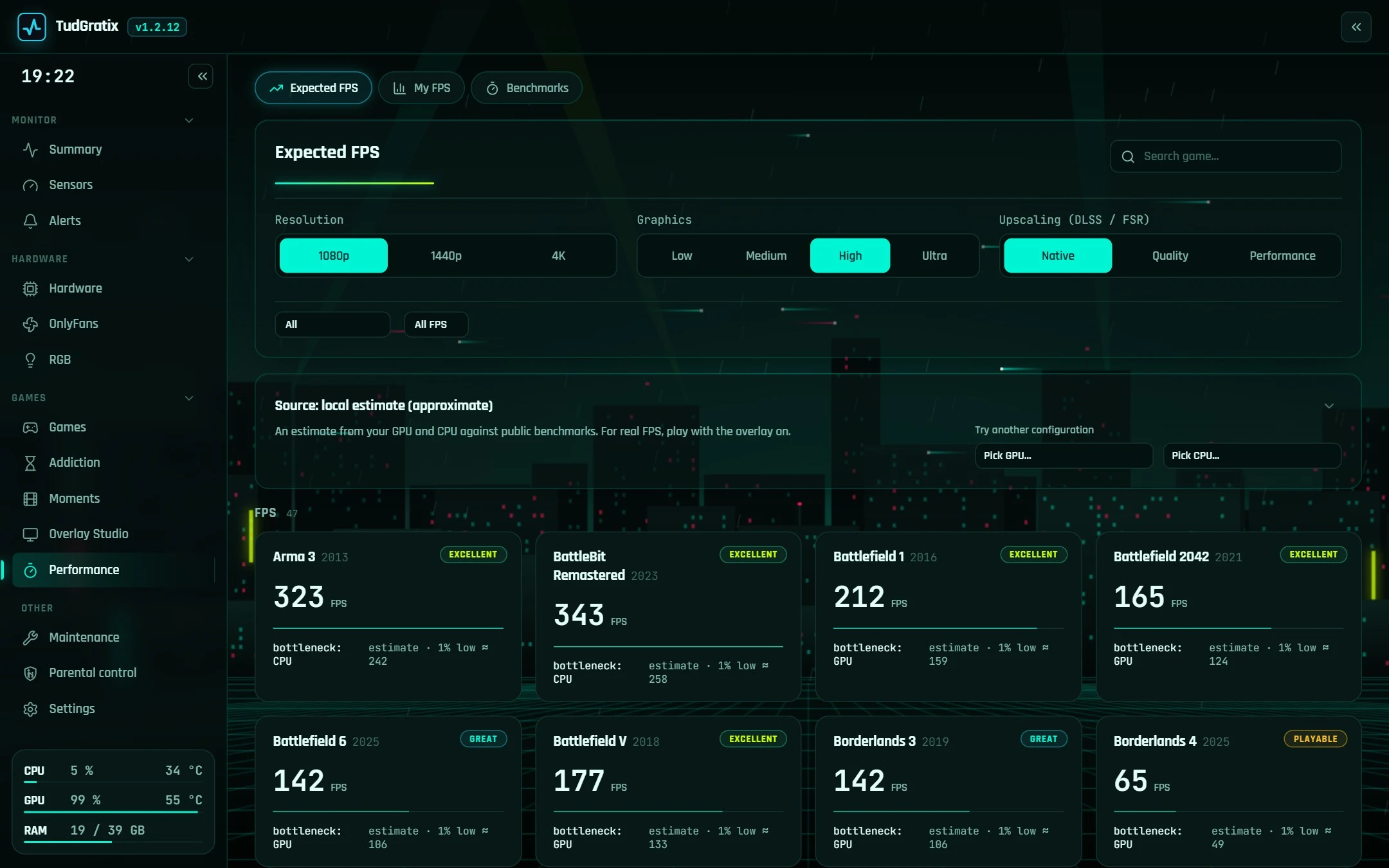
FPS, 1% low and frametime for any game, with nothing injected. What limits your FPS, stutters with their likely cause and expected FPS for your parts.

In-game overlay

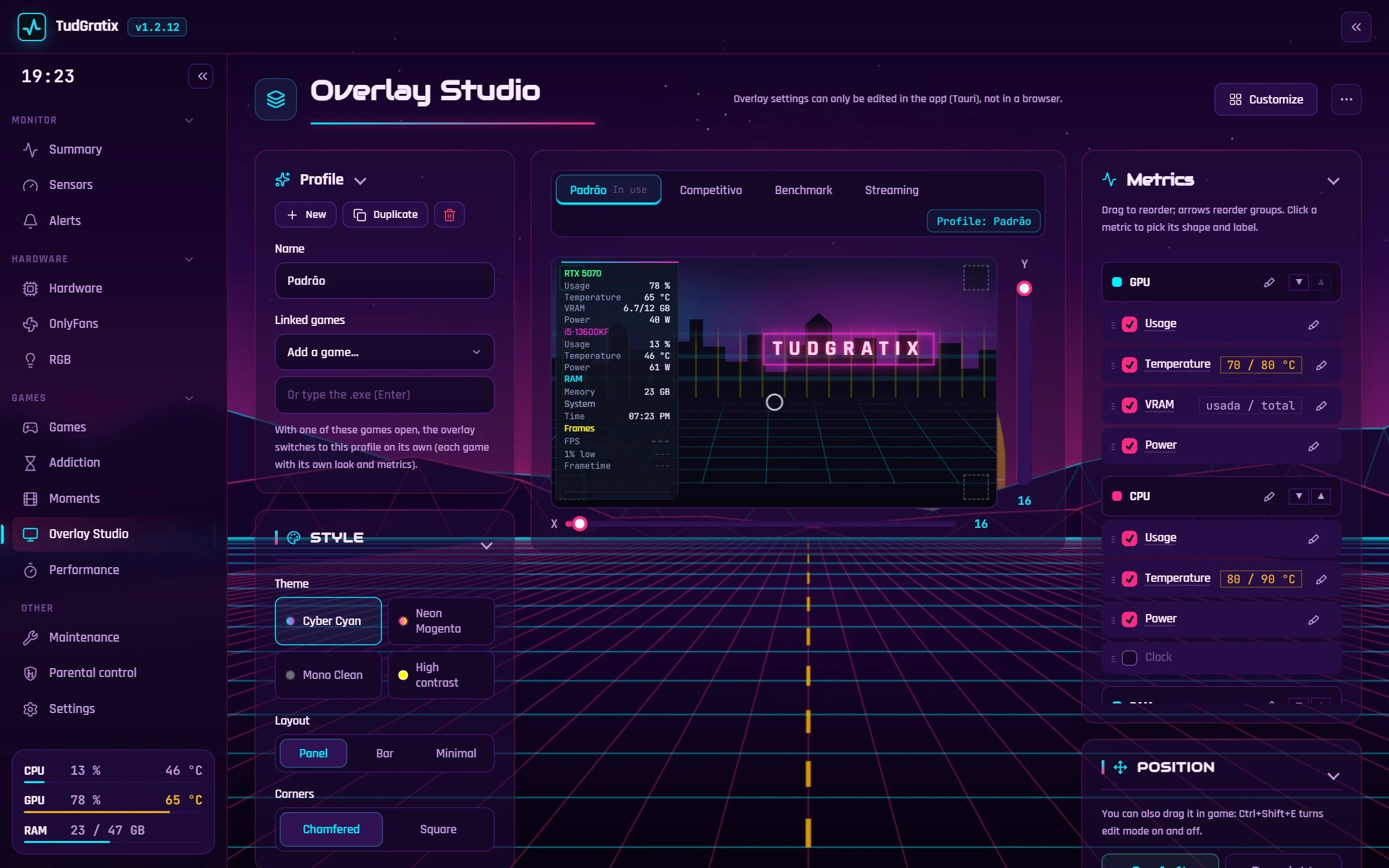
Overlay Studio with profiles, themes, a frametime graph and a profile per game. Drag it around inside the game.

Clips & recording

Instant Replay on your GPU's encoder (H.264, HEVC, AV1), up to 4K at 60 fps, game audio and mic with noise suppression.

Fans

Temperature curves, ready-made profiles, a test that recommends the best profile and safeguards so nothing ever fries.

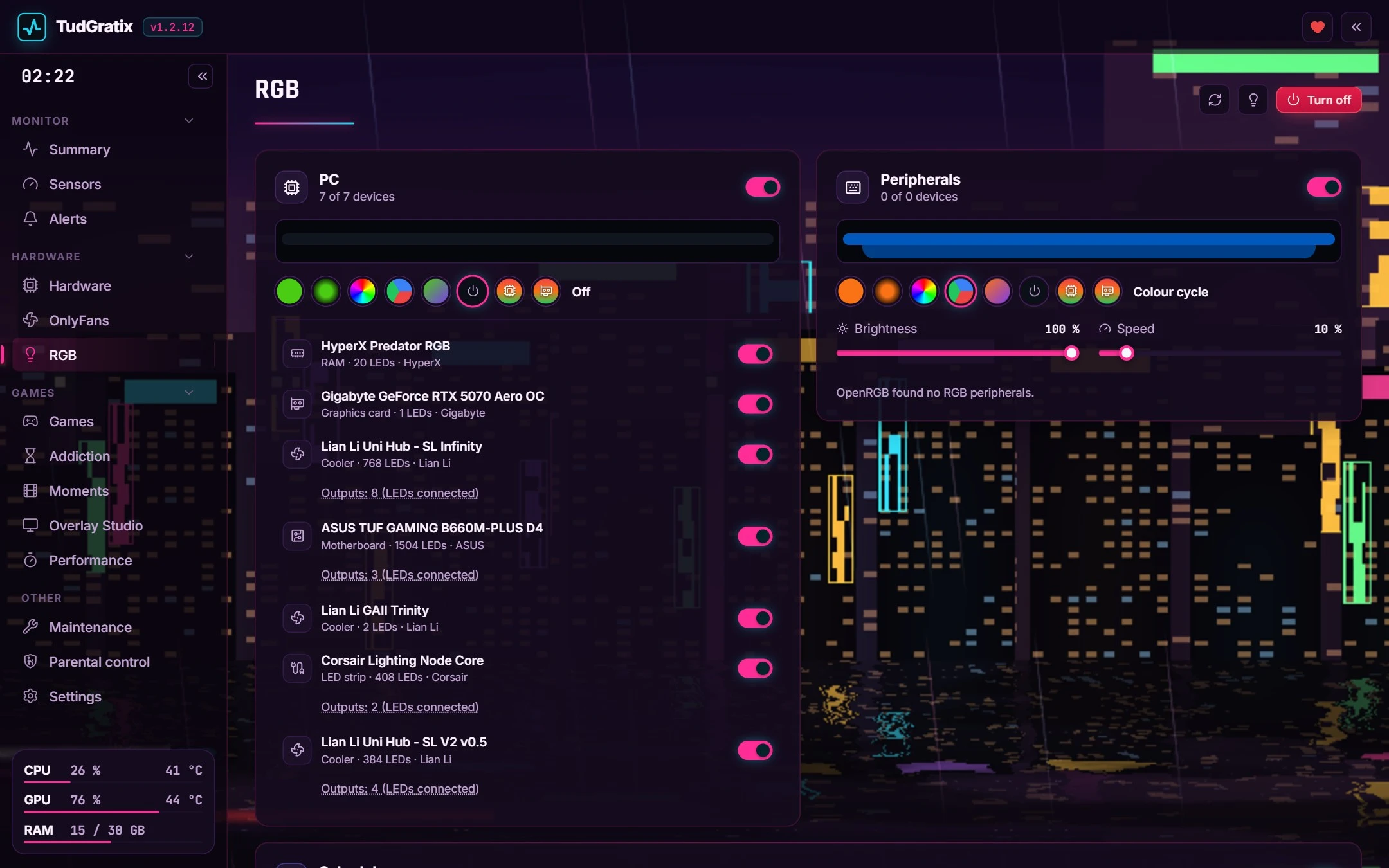
RGB

PC and peripheral lights in one place, effects, colours that follow temperature and a lights-off schedule.

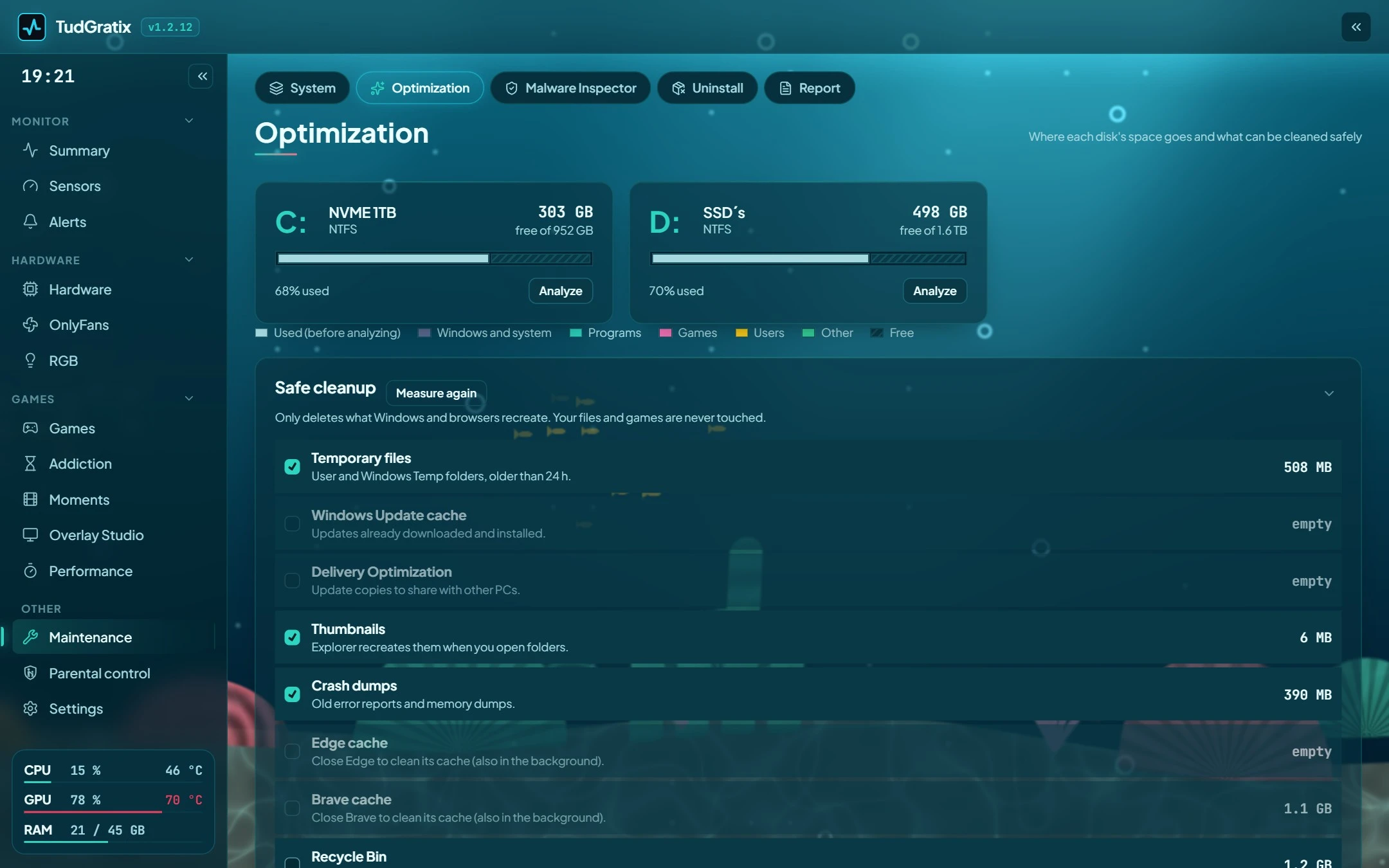
Optimisation & cleanup

Where your space went, safe cleanup, startup programs, automatic game mode and a one-glance PC check-up.

Deep uninstall

Runs the uninstaller, then shows what was left behind: folders, registry, tasks and services.

Drivers & BIOS

Pending drivers and Windows updates, the new GPU driver in one click and a BIOS guide for your board.

PDF reports

A report of your machine and of every gaming session, to compare, share or check a PC before you buy it.

Energy & benchmarks

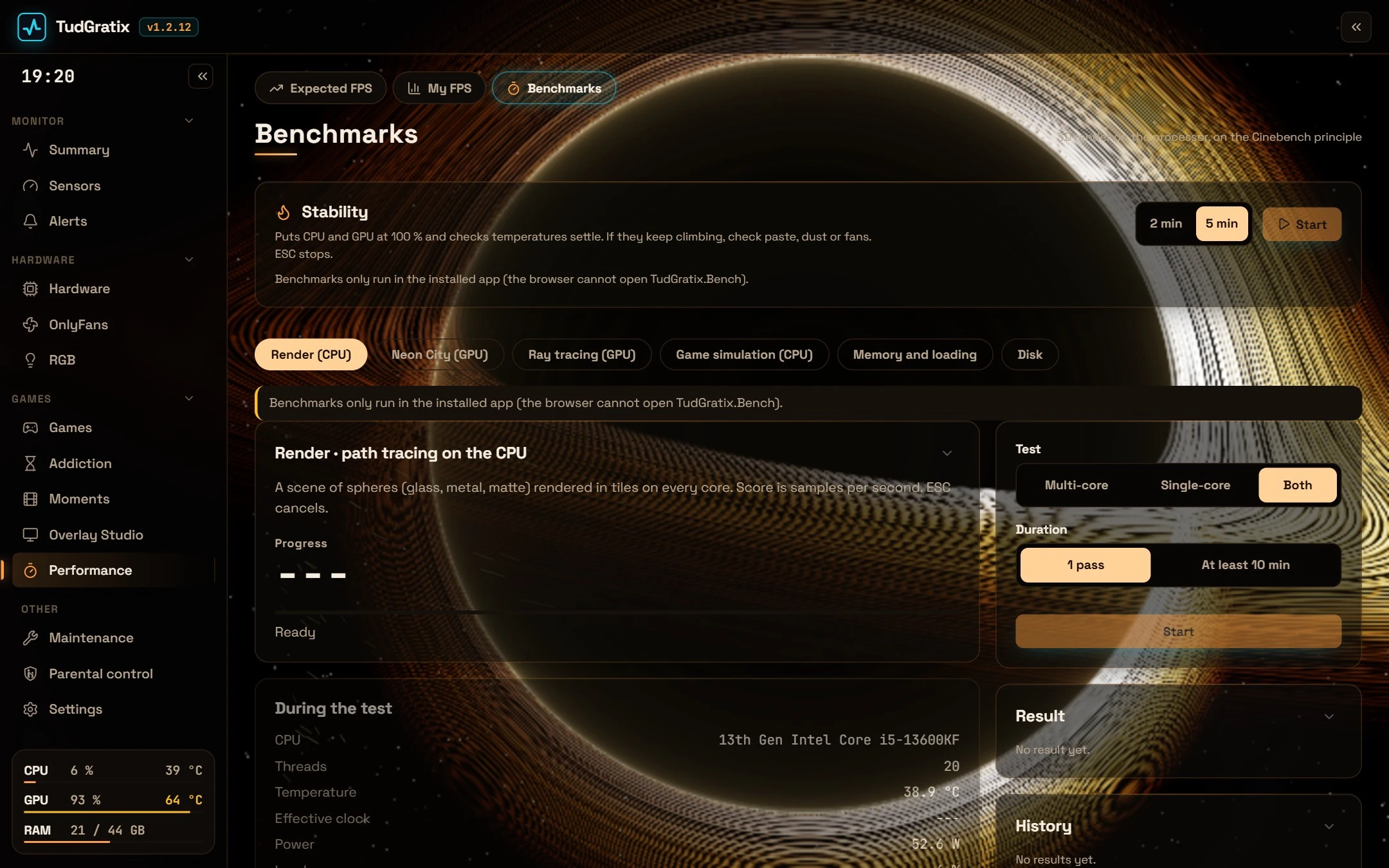
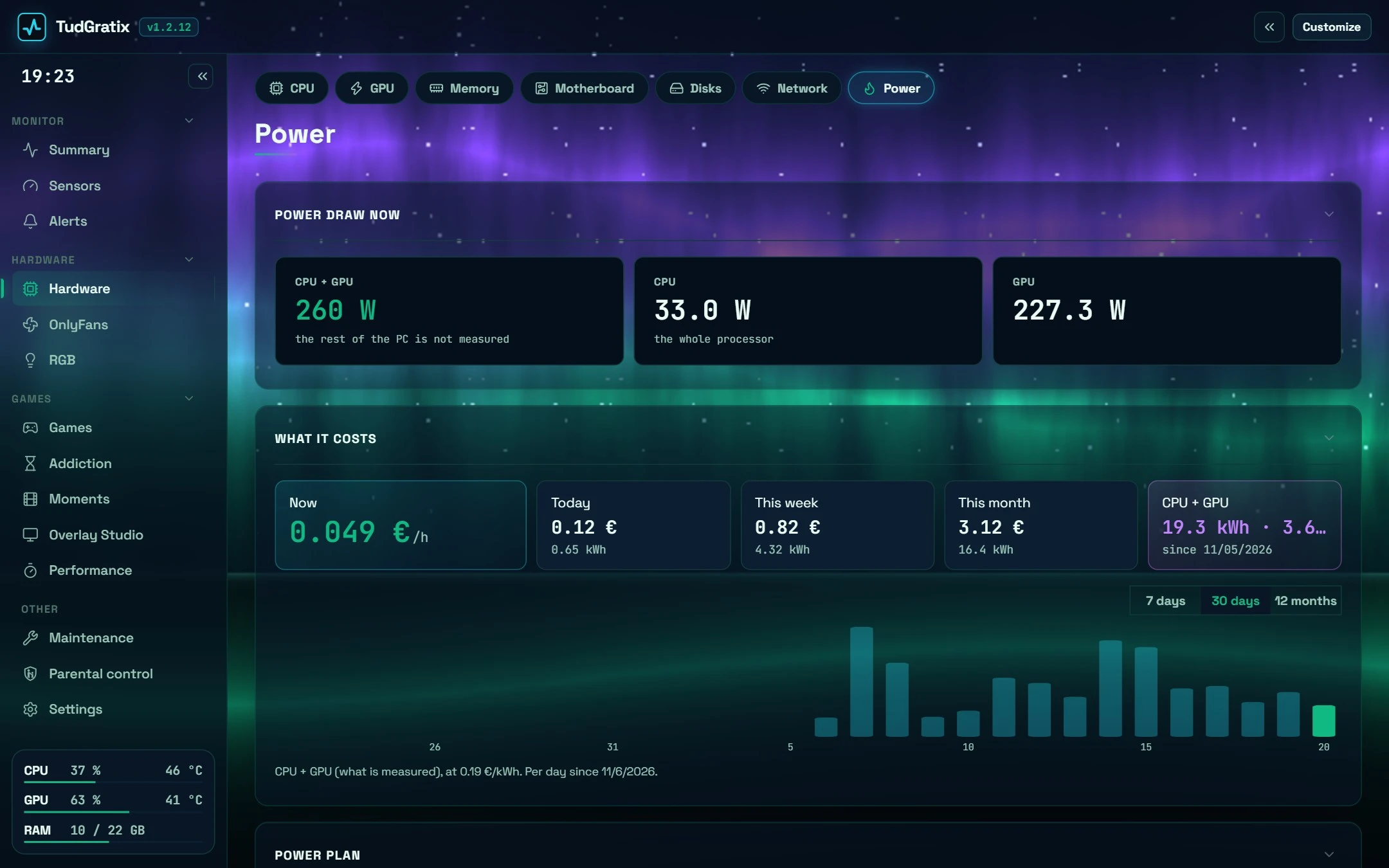
What your PC costs per hour, day and month. CPU, GPU, ray tracing and stability tests.

And the little things

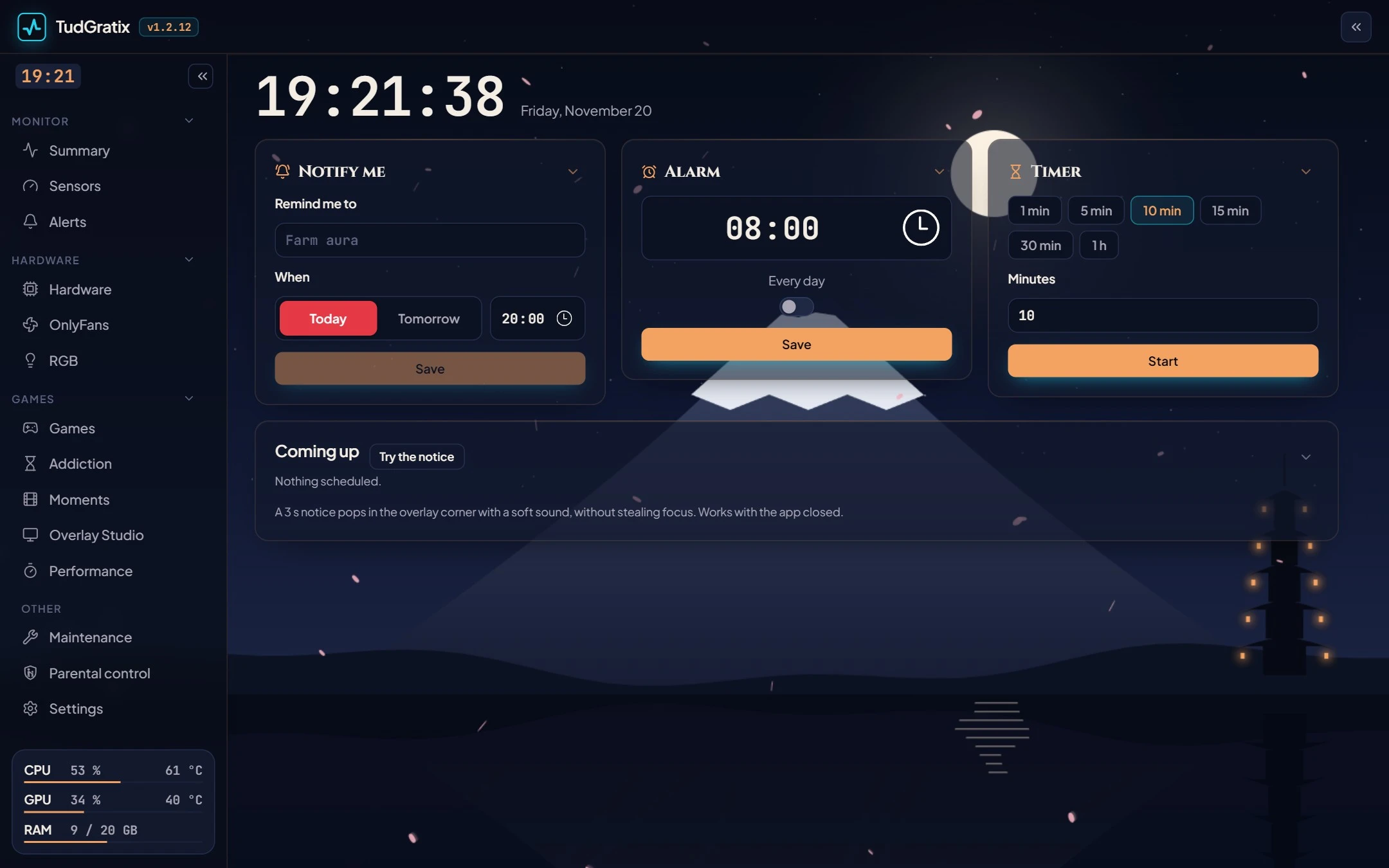
Alarms and reminders over your game, Addiction (your hours played), Malware Inspector, per-app volume and Ctrl+K search.

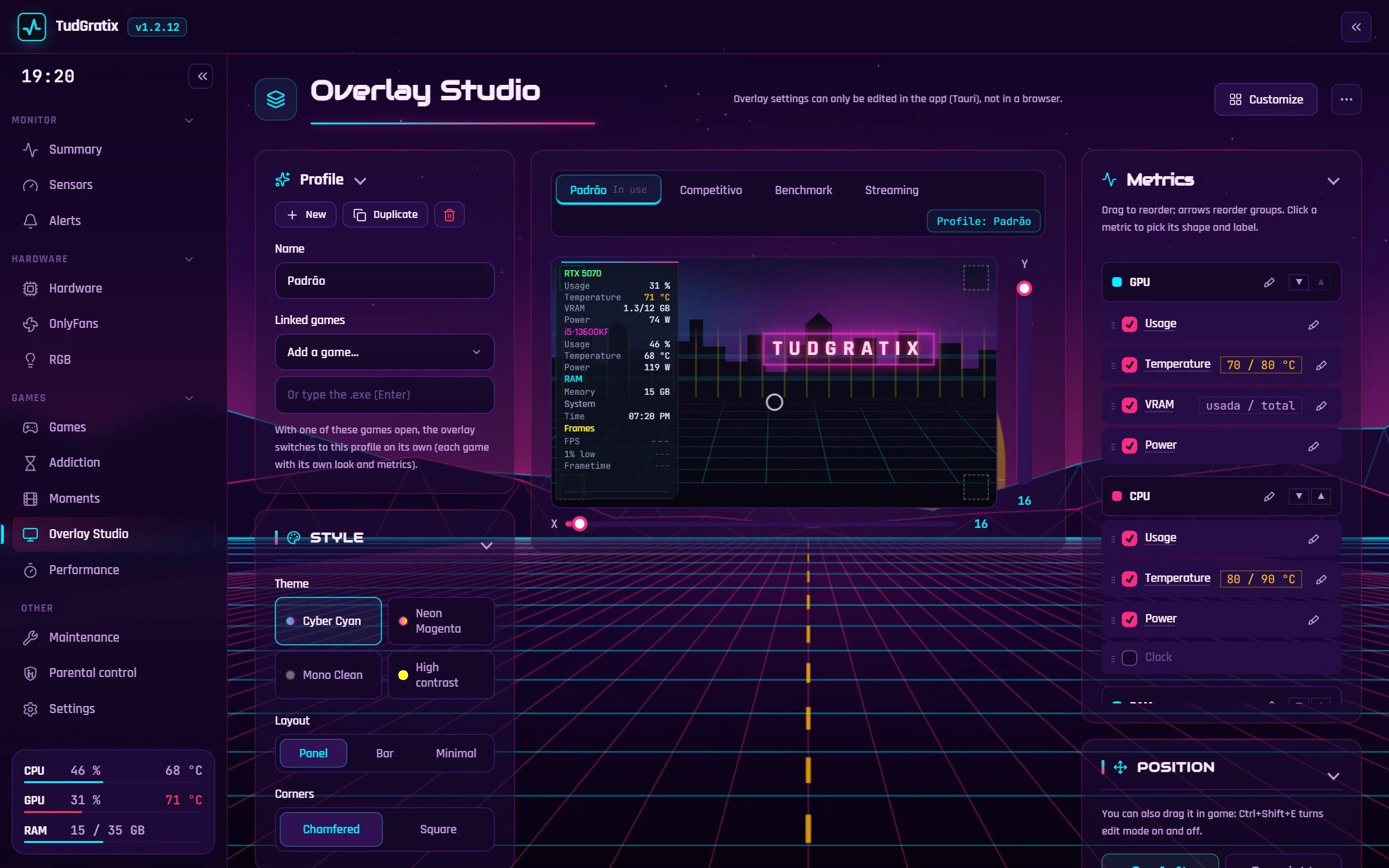
Overlay Studio

Your overlay, your way.

Pick what shows, the style (number, bar or graph), the colours and the spot. Ready-made profiles (Competitive, Benchmark, Streaming) that switch on their own per game.

Overlay Studio

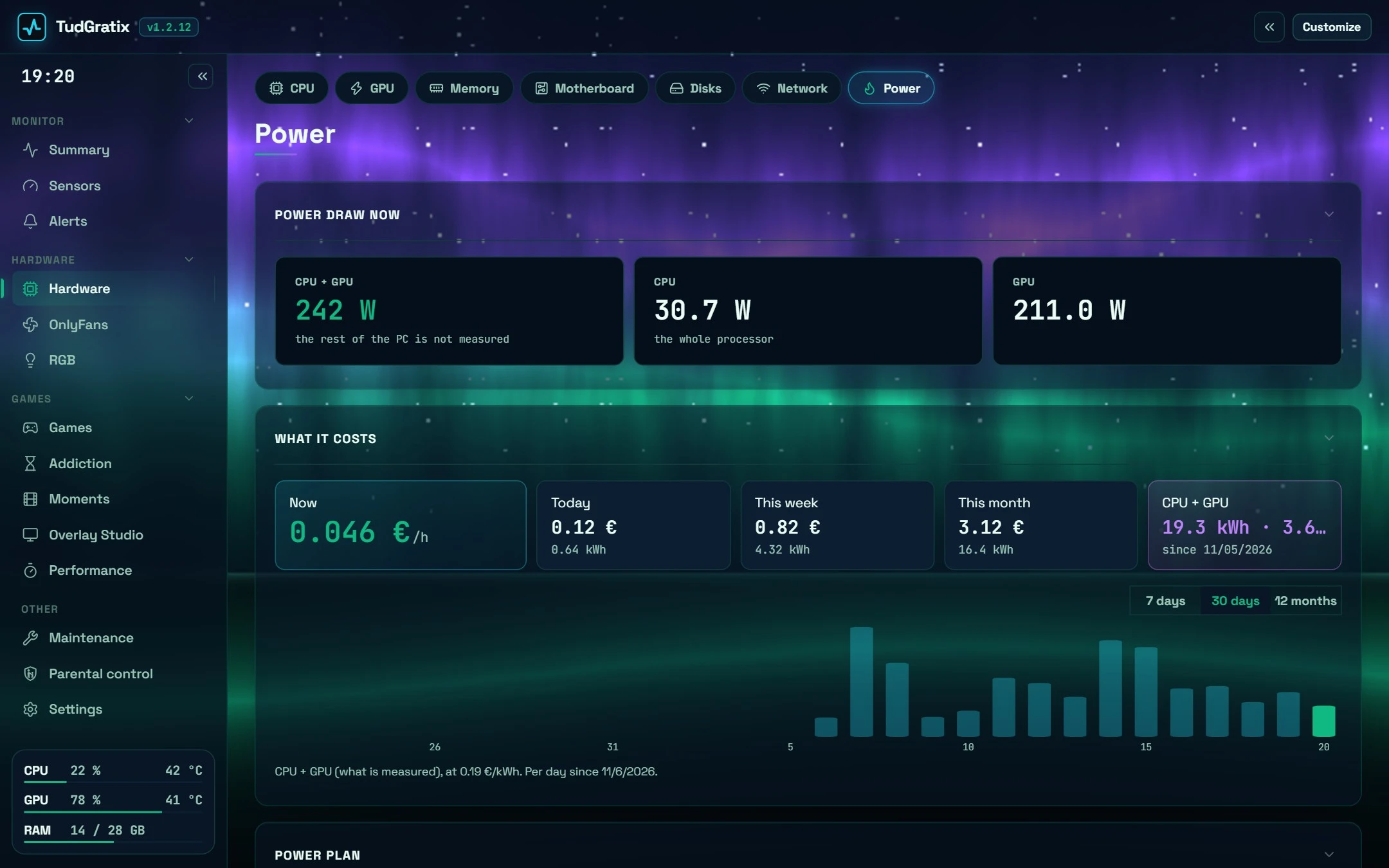
Energy

What gaming really costs.

Power per part and what you're spending now, today, this week and this month, in money and kWh, at your electricity price.

Energy screen

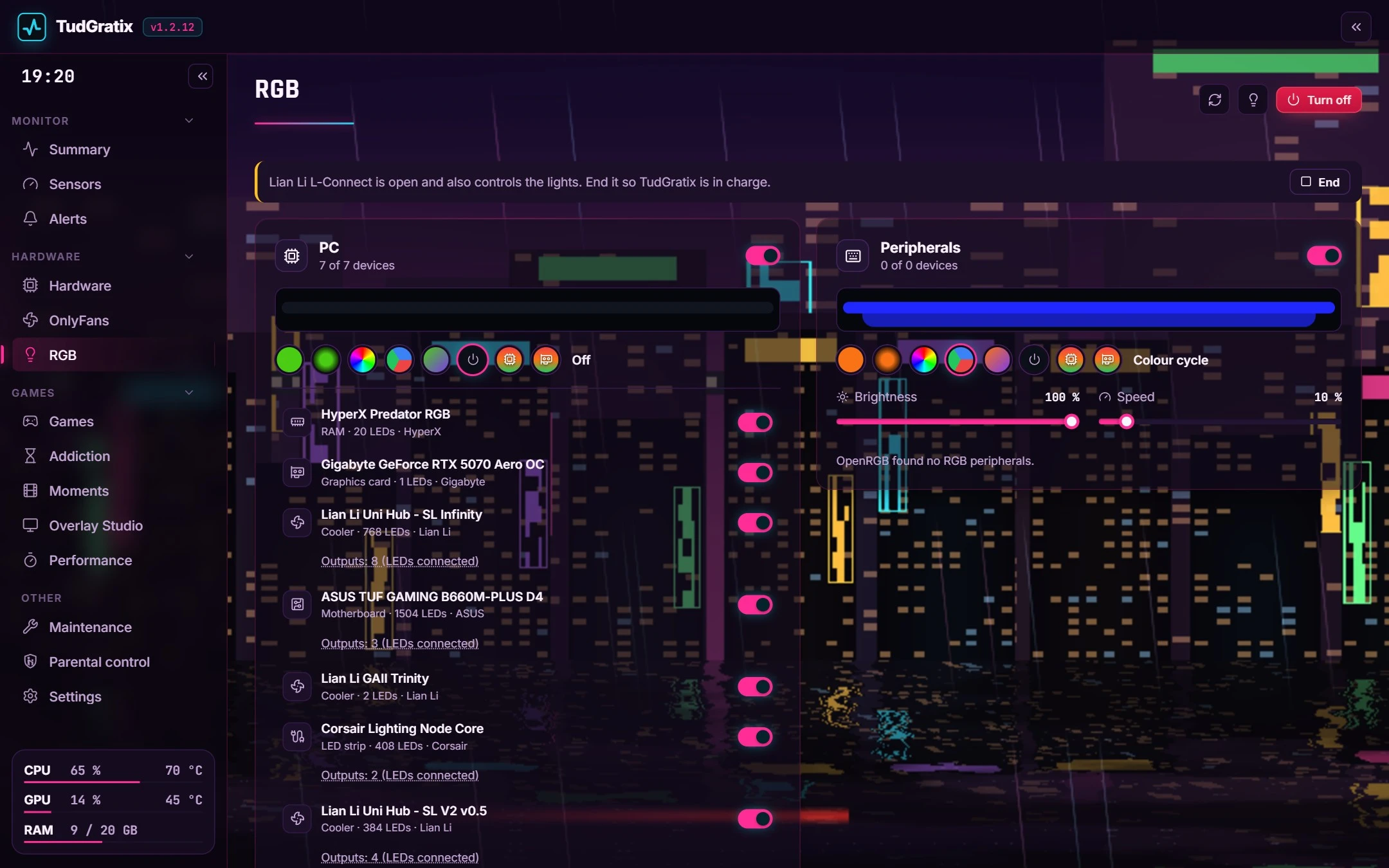
RGB

Lights without 5 apps.

PC, peripherals, strips and fan hubs. Effects, temperature colours and an "Off" that costs nothing.

RGB screen

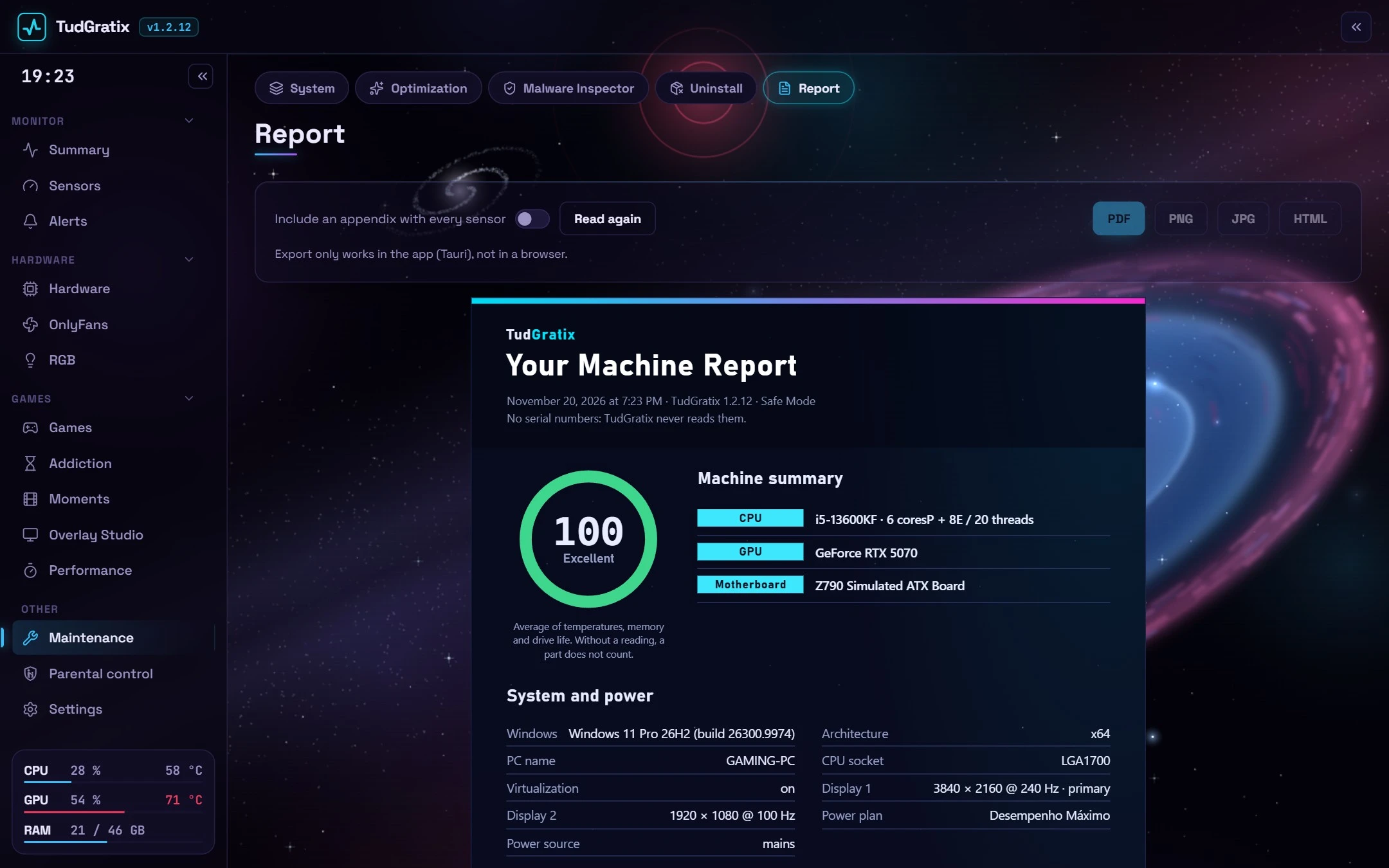
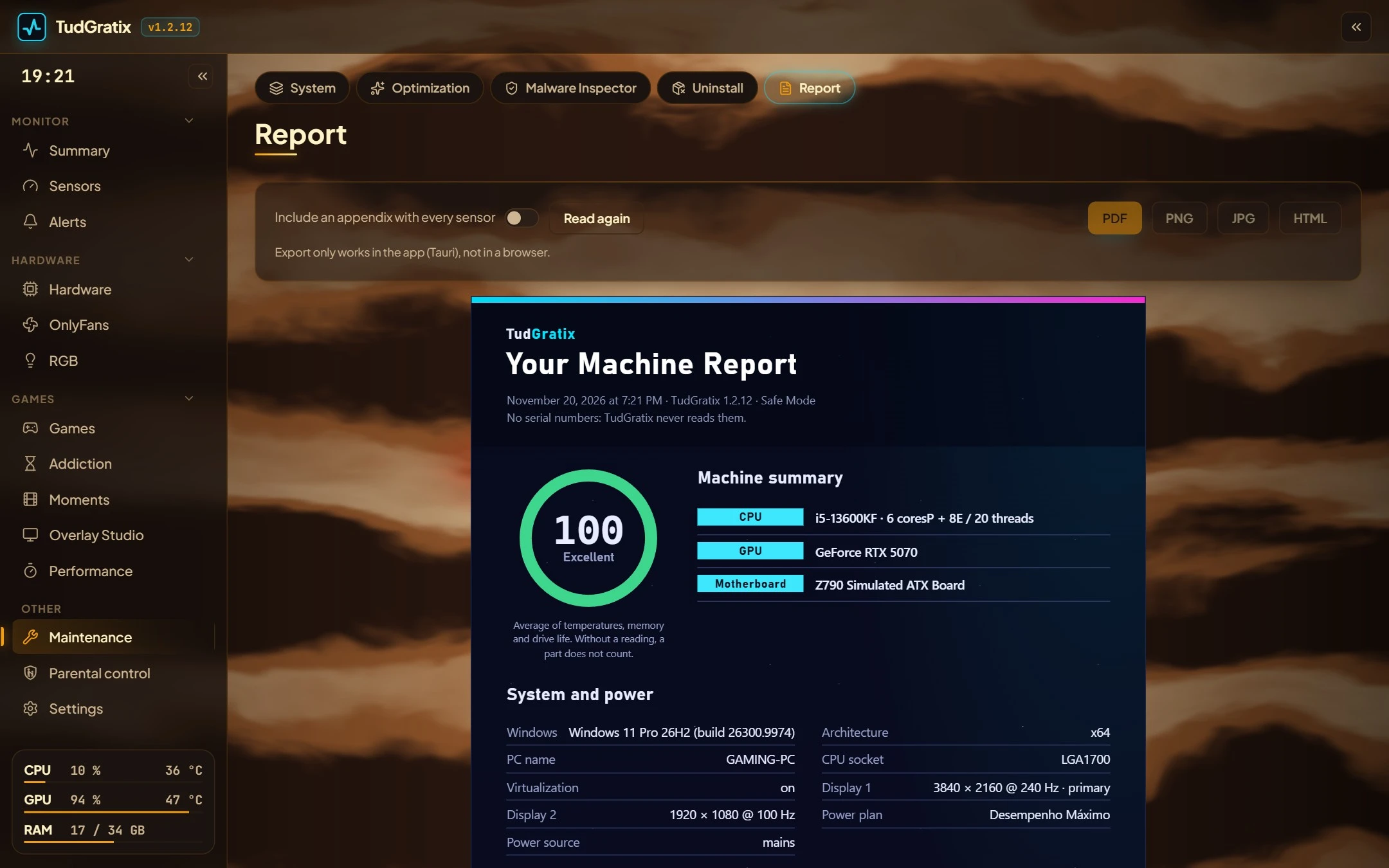
Report

Your PC on one page.

Health score, parts, drives with remaining life, temperatures and power. As PDF, PNG or HTML.

Machine report

Live

The backgrounds really move.

Each theme is an animated scene behind the panels that reacts to your PC's load and temperature, and pauses on its own while you play.

Themes

20 animated themes. Pick your world.

Living backgrounds that react to your PC: under load they move faster, when hot they glow brighter. They pause on their own while you play.

Deep SpaceSummary
Synthwave 84Overlay Studio
Black HoleBenchmarks
AuroraEnergy
Neon Tokyo in the RainRGB
Magic ForestSensors
ReefOptimization
Jupiter StormReport
Kyoto MidnightNotify
Green TerminalSummary
Old SchoolAlerts
CyberfutureExpected FPS

Plus Volcano, Space Station, Ocean Storm, Bioluminescent Abyss, Night in Texas, Rainy Day, Bright as Day and Default. Heart your favourites and the app rotates between them.

Phone

Your PC in your pocket.

  • Temperatures, FPS and the running game, live
  • Your PC screen on your phone, with mouse, W A S D and Alt+Tab
  • Save a clip, launch and close games, per-app volume and RGB
  • Lock, sleep, shut down in X minutes and wake the PC at a set time (Wake on LAN)
  • Away from home through its own VPN, just for the PC
  • With the PC off: last status, your week, clips and the PDF report
  • Notifications for alerts and parental control, with buttons

Free Android app (Android 8 or newer). On iPhone it opens in Safari and gets a home-screen icon.

Parental control

Fair limits, no drama.

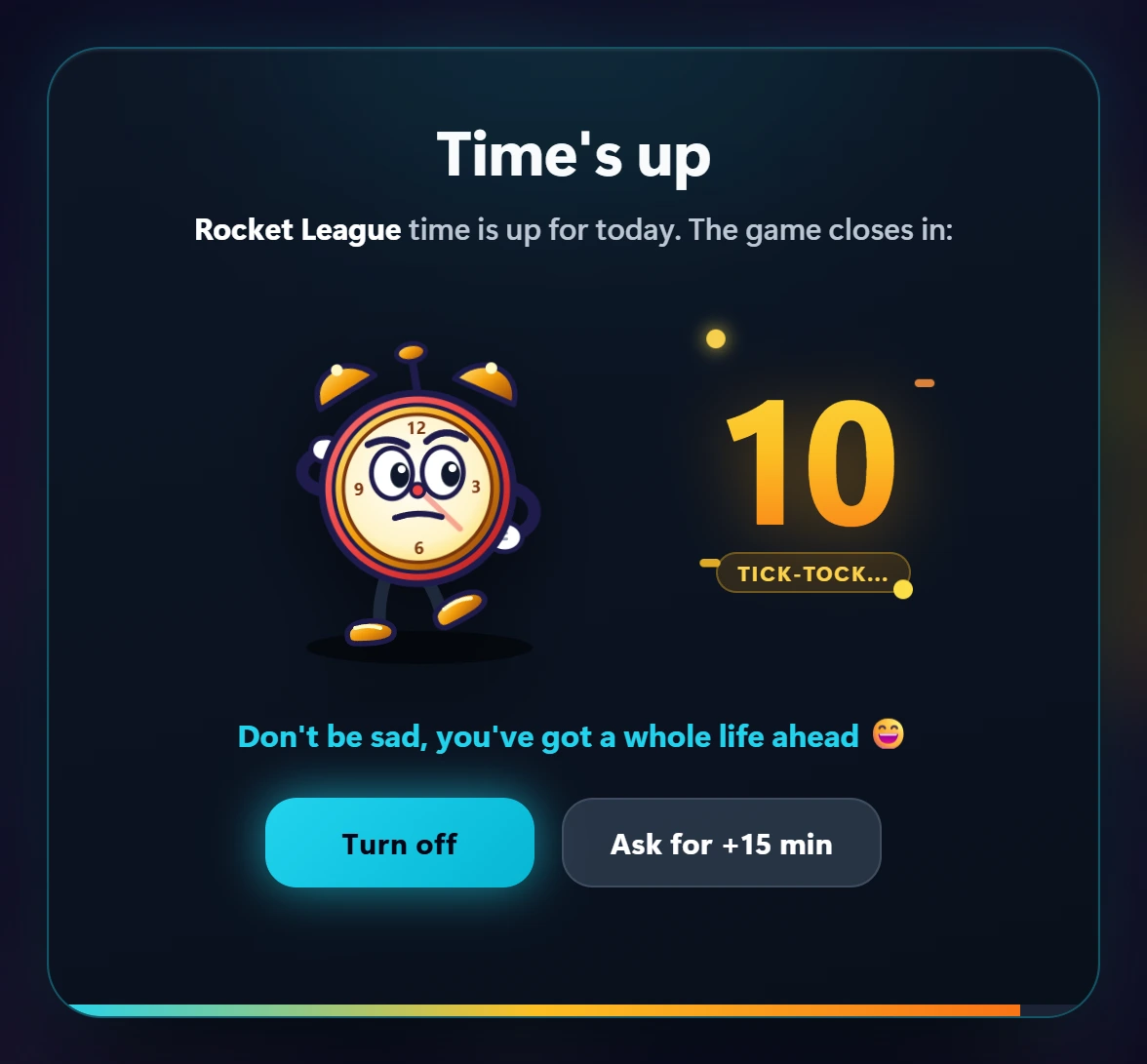
A 4-digit code and the rules stick: minutes per game and per day, gaming hours, bedtime and study mode. Friendly heads-ups before time runs out and, at the end, a countdown with a cute critter from your theme.

10-second countdown when time is up, with the theme critter
Time's up: 10 s and the game closes. "Ask +15 min" pings mum or dad.
Parent code screen
Unlock for 15 min, 30 min, 1 h or the rest of the day.
Message from a parent on screen
An on-screen message, sent from the phone.
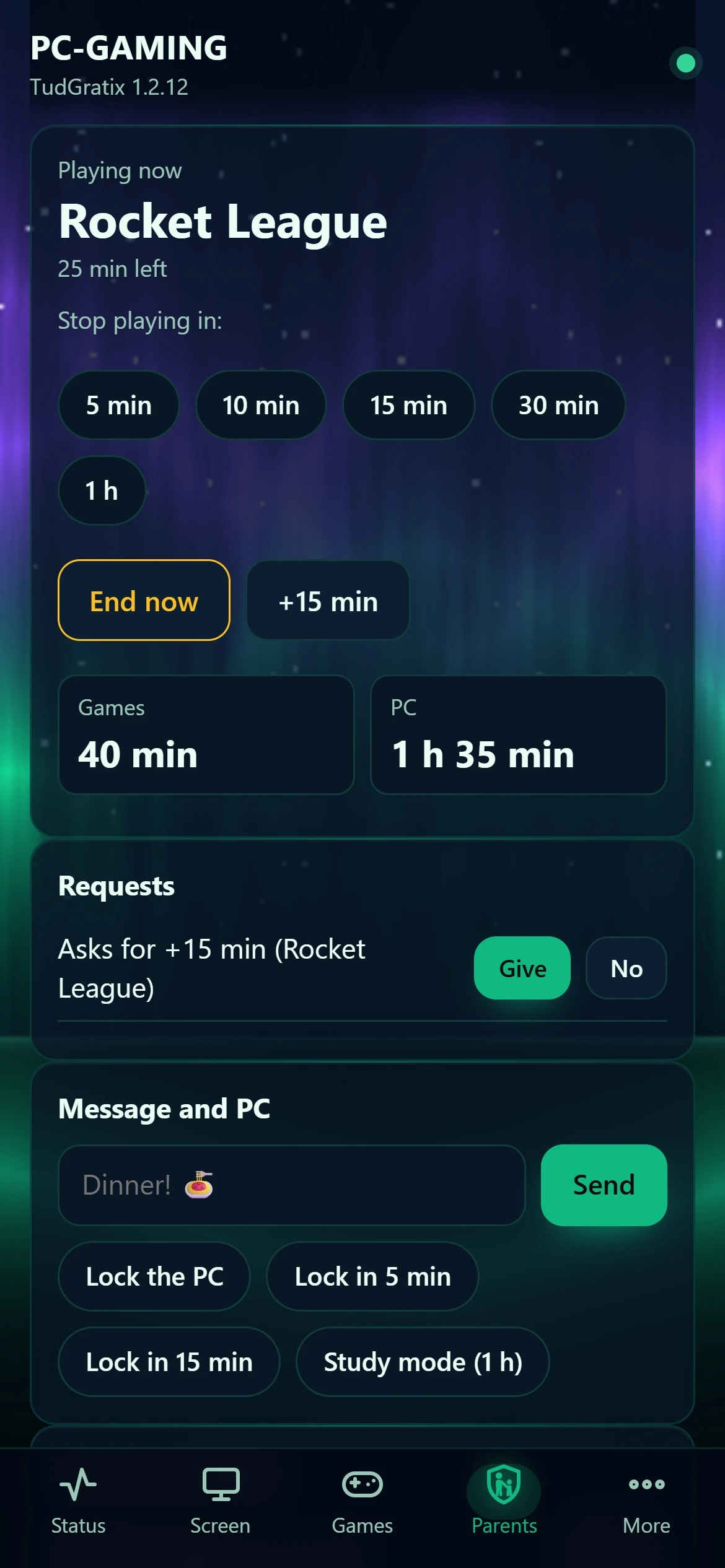
Parents tab on the phone
On the phone: stop in X min, give more time, block games or the PC.

Reviews

What people say.

No reviews yet. Be the first!

Install

Three steps and you're done.

  1. 1

    Download

    Grab TudGratix-Setup.exe from the latest release (or the portable zip, which installs nothing).

  2. 2

    Run the installer

    It asks for admin once. If Windows says it "protected your PC": More info → Run anyway.

  3. 3

    Enjoy

    Open it from the Start menu. Updates arrive inside the app, in one click.

Who am I?

A gamer obsessed with monitoring everything.

Illustration of Diogo

Diogo

Portugal · 23 years old

  • 1000+ hinvested
  • $0for you, forever

Hi! I'm Diogo, I'm 23 and I'm from Portugal. As a gamer and tech enthusiast, I always wanted to know exactly what's going on behind my PC's performance. The problem was the high cost and the huge number of apps I had to keep installed.

By day I work as a SysAdmin on a large, demanding infrastructure for an international client, dealing with networking, servers, security and monitoring, with tools like Zabbix and Grafana. That's where the urge came from to bring that same visibility into an app that also looks good.

I'm not a programmer by training, and I've never been a big fan of programming languages. I know the basics and I won't hide that LLMs have been a big help, but I make up for it with a lot of practice and many hours of work to build something useful and free for everyone.

  • CompTIA Security+
  • Check Point
  • LPIC-1
  • Microsoft Azure AZ-104
  • Networking
  • Zabbix
  • Grafana

Why TudGratix?

It's an old idea: an "almost all-in-one" for your PC, completely free. It always bugged me that seeing temperatures, FPS, fans and lights, or cleaning a drive, took half a dozen programs, half of them paid or full of ads. So I built the one I wanted.

  1. 1Sketches in Paintthe first screens, by hand
  2. 2Notes in Notepad++the list of must-haves
  3. 3Talks with AIsbouncing ideas, testing paths
  4. 4Dozens of videoslearning how it's done
  5. 5TudGratixtoday: almost perfect, if you ask me

And AI? Of course. It's 2026: I had a lot of help from AI along the way and I'll keep it that way, for convenience and accuracy. The ideas, the decisions and the hours of testing are mine.

Want to help?

Free forever. Help only if you want and can.

TudGratix will never have a paid version. If it saved you money or headaches and you'd like to buy me a coffee, it helps keep this alive. If you can't, enjoy it anyway: sharing it with a friend helps too.

FAQ

What everyone asks.

Is the app safe? What about my data?

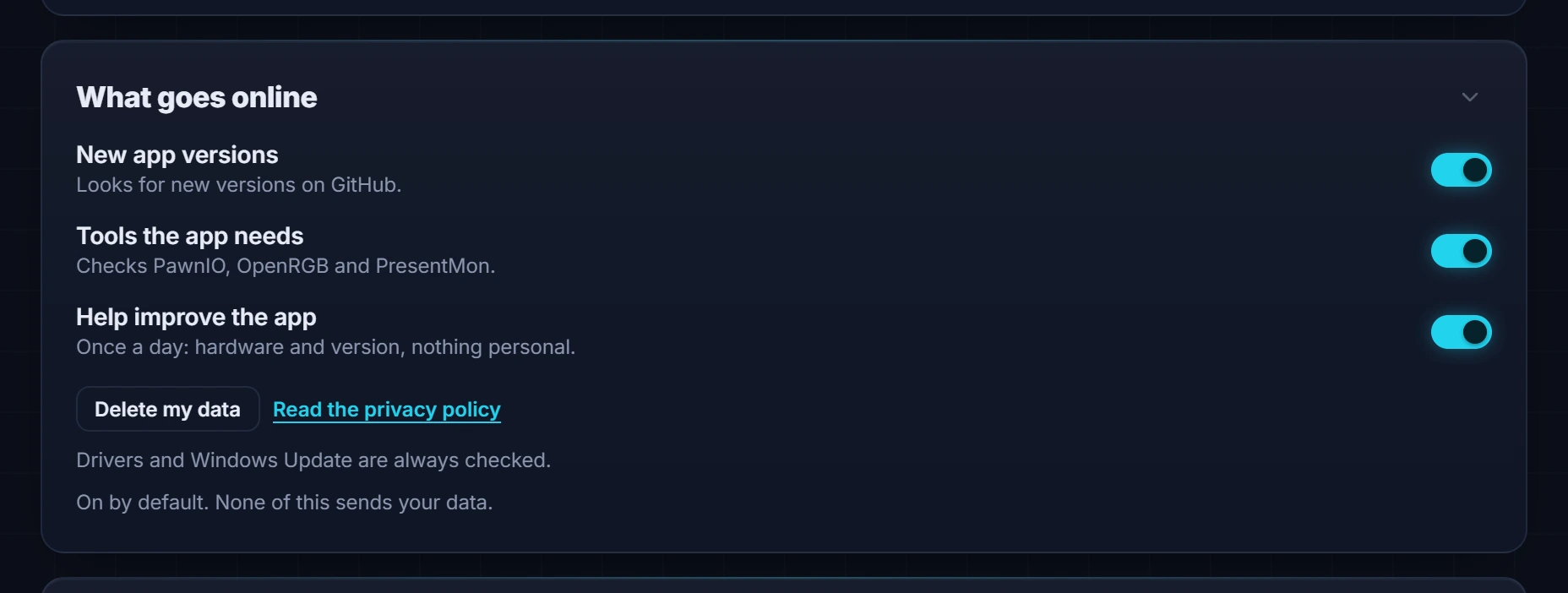
Yes. No account, no ads, and you choose what leaves your PC, in Settings → System → What goes online:

Settings: what goes online, with updates, tools and anonymous stats, each with a switch
  • Updates: checking GitHub for new versions can be turned off. When off, the app just reminds you to check by hand.
  • Anonymous stats: only with your yes, once a day (part models and version, nothing personal). Turn it off here, and "Delete my data" removes what was sent.
  • Your data stays on your PC: settings in a file under %APPDATA%\TudGratix and sensor history in a local database (SQLite) under %LOCALAPPDATA%\TudGratix. It keeps 15 days and tidies itself. No server, no cloud.
  • Only your PC talks to the app: the dashboard reaches the engine only inside the PC (127.0.0.1), with a fresh key on every start.
  • Phone: off by default. It only turns on with a username and password, and any phone can be removed from the list.
  • When you uninstall, the app asks whether to delete your settings and history too.
Who made TudGratix?

Me, Diogo: 23, from Portugal, SysAdmin and gamer. The whole story is right above.

Is it really free? What's the catch?

There isn't one. No ads, no subscription, no "Pro" version, no account. It will always be 100% free.

Why does Windows say it "protected my PC"?

The executables aren't signed with a certificate (that costs money every year). Choose More info → Run anyway. If you like, check the SHA-256 against the release's SHA256SUMS.txt.

Why does it need admin?

Temperatures and FPS can only be read as administrator. It asks once at install; after that the app starts without asking. The dashboard and the overlay run without privileges.

Will I get banned in anti-cheat games?

Nothing is injected into games: the overlay is a window on top and FPS comes from Windows events. The sensor driver stays on in games, and if one complains you pick Safe Mode (or the app switches on its own):

Settings: with anti-cheat games, keep Full Power or switch to Safe Mode
Can I really control my PC from my phone?
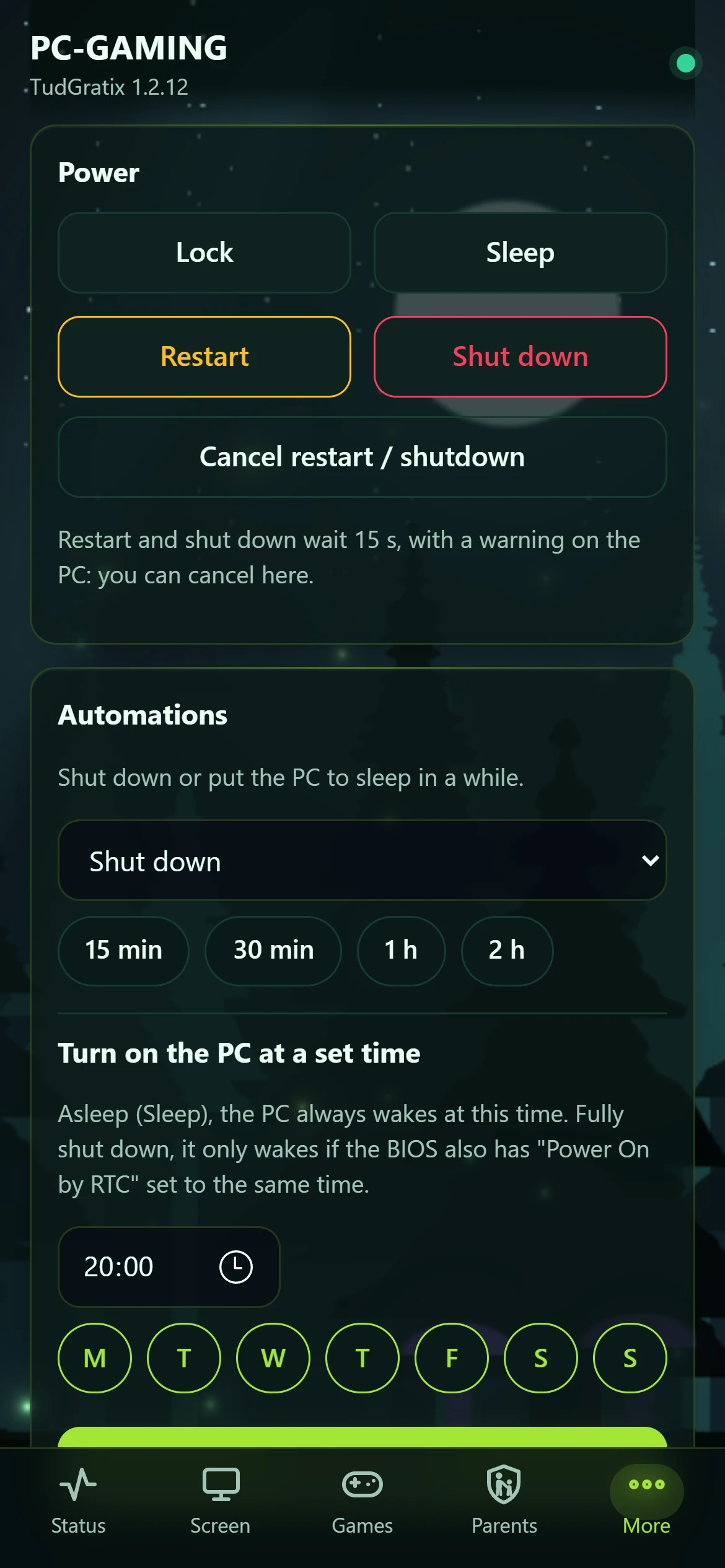
PC tab on the phone

Yes. In the Android app (or Safari on iPhone) you see temperatures and FPS, lock, sleep or shut down the PC, schedule it to turn on (Wake on LAN), save clips and change the volume. It's off by default and only turns on with a username and password.

How does parental control work?
Countdown when time is up, with the theme's alarm clock

You set minutes per game and per day, gaming hours and bedtime, protected by a 4-digit code. Heads-ups appear before the end and, at the end, this countdown: without the code, the game closes. From your phone you give more time, send messages or lock the PC.

Does it cost FPS?

Barely. The engine uses a fraction of 1% CPU, the animated background pauses while you play and clips use the GPU's encoder.

What does it run on?

Windows 10 (22H2) and Windows 11, 64-bit (x64). The phone app needs Android 8 or newer.

What about iPhone?

There's no iOS app yet: Apple only allows apps through the App Store, which means a paid developer account every year and a Mac to build on. That doesn't fit a 100% free app. On iPhone, open your PC in Safari (it gets a home-screen icon) and, away from home, use the VPN through the WireGuard app.

How do I uninstall?

Windows Settings → Apps → TudGratix → Uninstall. It asks whether to delete your settings and history too.